
Best Toy Computer for Toddlers: Pretend Tech & Early Learning Guide
Parent Guide • Toddlers • Pretend Computer Play
Toy Computers for Toddlers That Turn Tech Curiosity Into Hands-On Play
Toddlers love copying grown-ups. When they see parents typing, working, calling, or using a computer, they naturally want a version of their own. A toy computer can turn that curiosity into pretend play and early learning when it is simple, durable, age-right, and not overly distracting.
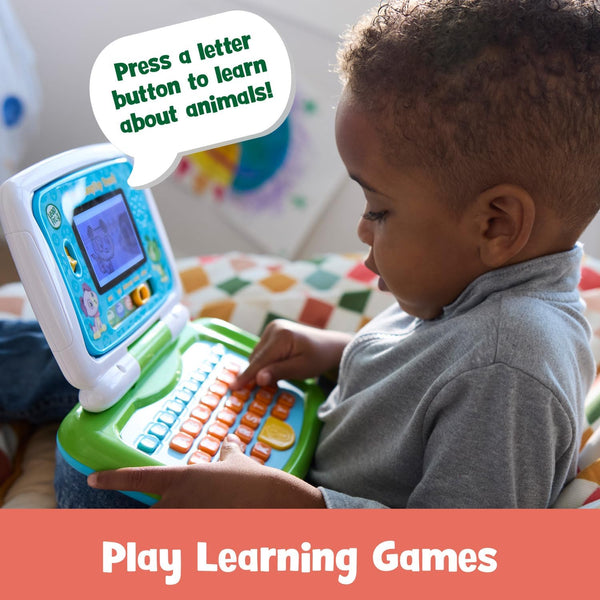
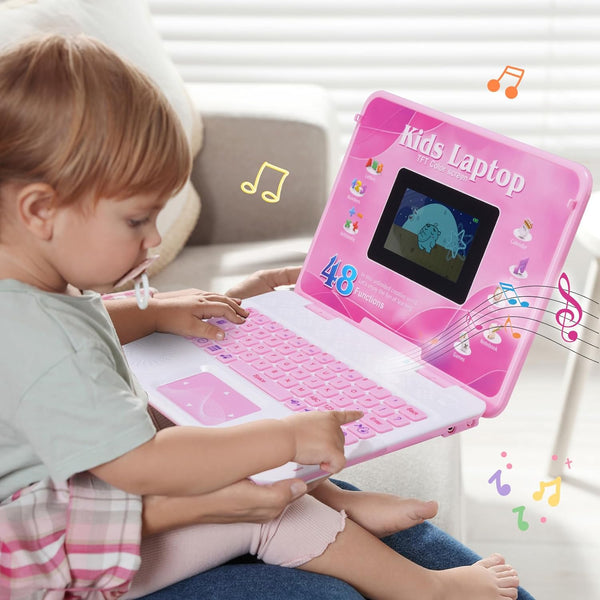
The best toy computer for toddlers should give children clear actions: pressing buttons, hearing simple sounds, pretending to type, recognizing letters, counting numbers, moving a toy mouse, or following very short prompts. These small actions can support language, fine motor skills, listening, cause and effect, and screen-free routines.
Explore toddler-friendly educational toys
Shop toys that support pretend play, language, early development, sensory learning, and active hands-on discovery.
Shop Early Development ToysQuick Answer: What Is the Best Toy Computer for Toddlers?
The best toy computer for toddlers is safe, durable, easy to use, and designed for active play. Look for large buttons, simple sounds, pretend typing, letters, numbers, cause-and-effect activities, short prompts, and screen-free role play. A toddler computer toy should feel fun without being too loud, too small, or too advanced.
Table of Contents
How Toy Computers Can Support Toddler Learning
A toy computer can support toddler learning when the child is doing something with the toy. Pressing buttons can build hand control. Hearing a letter or number can build early awareness. Pretending to type can support imagination. Following a short prompt can encourage listening and attention.
Toddlers are not ready for complicated computer lessons. They need simple, repeatable experiences. A toddler may press the same key again and again, repeat a sound, pretend to send a message, or move a toy mouse across the table. These actions may look small, but they are part of early exploration.
The biggest value comes when parents talk during play. Naming letters, counting keys, asking what the child is typing, or pretending to work together can turn a simple toy into a richer learning moment.
Best Features in a Toddler Toy Computer
Large buttons
Make play easier for small hands and support early fine motor control.
Simple letters
Introduce alphabet awareness in a playful, low-pressure way.
Number play
Supports counting language, number recognition, and simple comparison.
Pretend typing
Encourages role play and gives toddlers a child-friendly version of grown-up computer use.
Short prompts
Help toddlers practice listening, responding, and repeating simple actions.
Durable design
Toddler toys need to handle frequent carrying, pressing, and everyday use.


What Parents Should Avoid
Avoid toddler computer toys that are too loud, too busy, or too advanced. If the toy has too many unrelated modes, it may create short bursts of excitement without real engagement. A calmer toy with clearer actions often gives toddlers a better play experience.
Also avoid toys with small parts, difficult instructions, tiny buttons, or activities meant for much older children. Toddlers need success and repetition, not frustration.
A good toy computer should support active participation, not passive watching. The child should be pressing, choosing, pretending, listening, and responding.
Support toddler language through play
Language learning toys can pair well with pretend computer play by supporting words, sounds, listening, and early communication.
Shop Language ToysHow to Choose a Toy Computer for Toddlers
Start with safety and age guidance. A toddler toy computer should be built for small hands, simple use, and repeated handling. Check that the toy is appropriate for the child’s age and avoid anything with small parts.
Next, choose clear learning value. Does it support letters, numbers, sounds, matching, pretend typing, or cause and effect? A toy with one or two useful learning paths can be better than a toy with too many confusing features.
Finally, choose balance. A toy computer can be useful, but toddlers also need blocks, puzzles, books, sensory toys, pretend play, music, and movement.
Shop Related Toddler Learning Collections
Explore Early Development Toys, Language Learning Toys, Sensory Learning Toys, Montessori Educational Toys, and Educational Toys.
Frequently Asked Questions
What is the best toy computer for toddlers?
The best choice is safe, durable, easy to use, and focused on simple active play such as buttons, letters, numbers, and pretend typing.
Are toy computers good for toddlers?
They can be helpful when they are age-right, not overstimulating, and used alongside other hands-on toys.
What can toddlers learn from toy computers?
They may practice pretend play, letters, numbers, listening, cause and effect, button pressing, and simple problem-solving.
Are toy computers screen-free?
Many toy computers offer screen-light or screen-free pretend tech play, depending on the design. They are not the same as handing over a real device.
How do I make toy computer play more useful?
Play nearby, name letters, count buttons, ask your child what they are typing, and connect pretend play to real routines.


